
Five ways an Avigilon deployment goes wrong
Avigilon under Motorola Solutions is two platforms, not one product line. Alta is the cloud-native side, assembled from the Openpath access control and Ava video acquisitions. Unity is the on-premise side, carrying Avigilon Control Center and Access Control Manager. Both are capable, and a hybrid of the two is a legitimate design rather than a compromise. Almost all of the disappointment we are called in to fix traces back to a short list of repeated mistakes, and every one of them is avoidable at specification.
Analytics specified from a demonstration
Self-learning analytics look effortless on a trade show floor and struggle on a camera mounted twenty feet up, aimed down a loading apron into afternoon glare. Object classification needs workable geometry: a mounting height and angle that keep targets a consistent size, a defined detection zone, and a target distance the lens actually resolves. Specify the view first and the analytic second, then verify it with people and vehicles moving through the real scene.
Cloud chosen without checking the upload
Alta moves video off site, which makes the building’s upstream bandwidth part of the security system. Plenty of industrial and distribution property in Georgia carries an asymmetric circuit with modest upload, including buildings along the I-16 corridor behind the Savannah port, the industrial parks around Macon, and older stock on the edge of the metro. Measure the sustained upload actually available at the demarcation point during the busiest hour, then decide. Keeping recording local and sending only what the operation needs to the cloud is often the honest answer.
License plate capture treated as ordinary video
Plate reading is a purpose-built camera in a purpose-built lane. It needs a short exposure to freeze a moving plate, a constrained angle of approach, dedicated illumination and a lane geometry that fixes where the plate will appear. At a drayage gate serving the Savannah port, or a distribution yard entrance off I-75, an overview camera pointed down the same lane will not produce readable plates, and a specification that assumes otherwise fails acceptance in front of the client.
On-premise recording with no ride-through
Georgia summer thunderstorm outages are brief, frequent and hard on storage arrays. A recorder that loses power abruptly several times a season will eventually lose an archive, and analytics metadata stored alongside the video goes with it. Size the UPS for an orderly shutdown and then actually configure the shutdown, protect interbuilding runs with grounded surge protection, and confirm the recorder returns to service and resumes recording with nobody on site. Coastal-plain sites carry the same exposure at a larger scale during hurricane season, which is an argument for verifying restart behavior rather than assuming it.
Administration handed over informally
Cloud platforms turn administration into a standing responsibility, and the tenant belongs to the client organization rather than to the integrator. Multi-factor authentication, administrator roles, audit history, subscription renewal dates and the process for adding and removing credentials all need named owners and a written record at turnover. On the access side, map credentials, roles, schedules, door hardware and emergency egress behavior before controller selection. Life-safety release behavior is not something to discover during commissioning, and in a multi-tenant Perimeter or Cumberland tower it involves the property manager as well as your client.
Working with KSEDCO
KSEDCO installs, configures, maintains and supports Avigilon Alta and Unity systems across Georgia from 2700 Cumberland Pkwy SE, Suite 410, Atlanta GA 30339. Call (888) 360-0035 to review an installed system, scope a new one, or work out whether cloud, on-premise or a mix fits the sites you actually have.
Equipment we supply and install
Avigilon is our choice when analytics have to carry the load: Georgia distribution sites, hospital campuses and multi-building properties where nobody is watching a wall of monitors.
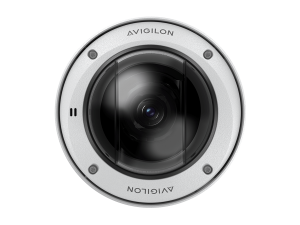
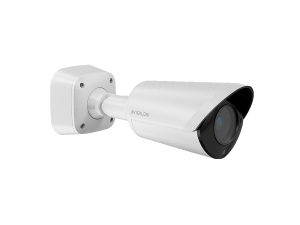
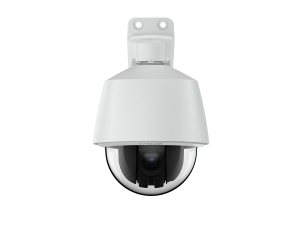
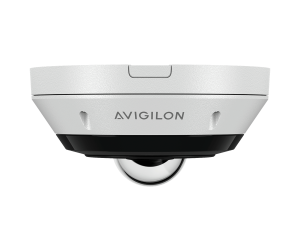
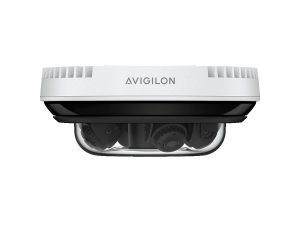
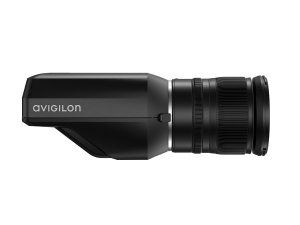
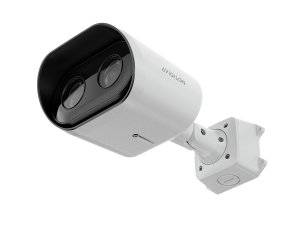
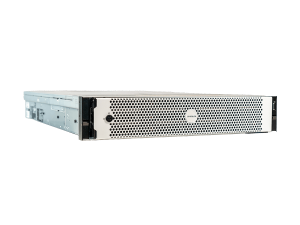
Product images are the manufacturer's, shown for planning. Final models and accessories are confirmed per project.
Avigilon Alta and Unity owner and buyer resources
Use the parent-company Avigilon knowledge center to prepare Alta/Unity, mobile, hardware and migration requirements before Georgia engineering and service.
Discuss Avigilon installation, maintenance or service
Detailed guides are maintained by 360TechnologyGroup.com, the parent-company knowledge center.