
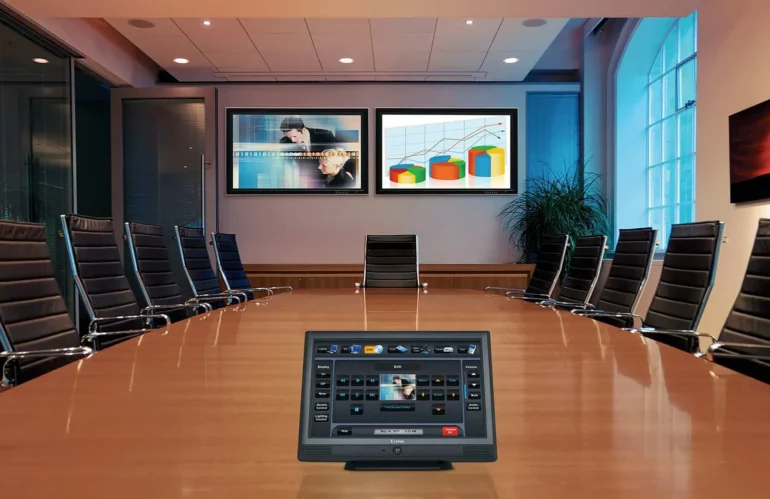
Video Conferencing: Fix the Room Before You Buy the Camera
Hybrid meetings fail for reasons that have little to do with the hardware sitting in the room. KSEDCO builds conferencing rooms for Georgia organizations — corporate campuses and tenant suites across metro Atlanta, offices coordinating daily with Savannah port and distribution operations, healthcare and education spaces in Augusta, Athens, and Columbus — and we work through the same three layers in the same order every time.
Layer one: the room
Almost every complaint about bad audio is a room problem, not a microphone problem. Hard surfaces — glass walls, exposed deck, a bare table — reflect speech back into the microphones and make remote participants work to follow the conversation. What we look at:
- Reverberation. A glass-walled conference room in a Cumberland or Perimeter office tower usually needs some absorption before any microphone will sound right. Ceiling tile, wall panels, or the right carpet change the outcome more than a better microphone will.
- Microphone-to-talker distance. Ceiling array microphones look clean and work well up to a point. Past that point, table or pendant microphones get pickup closer to the people actually speaking.
- Camera framing. Table length sets the lens. A camera at the far end of a 20-foot table renders the near-end participants as silhouettes unless field of view and room lighting are chosen together.
- Lighting. Downlights directly over the table put shadows in everyone’s eyes, and a window behind the participants turns them into a backlit outline. Both are cheaper to fix than to work around.
- Noise. A diffuser blowing straight over the head of the table adds a constant noise floor that automatic gain control will chase for the whole meeting.
Layer two: the network
Conferencing endpoints are network devices with real-time requirements. We put them on a dedicated VLAN with QoS marking that survives all the way to the internet edge, reserve an address for each room, and verify the switch port has the PoE budget and power class the camera or codec needs. Wireless is a fallback, not a design. We also ask what happens during a Georgia summer storm: if the room has to keep working when utility power flickers, the switch, the codec, and the display feed belong on a UPS sized for the actual load and runtime you need — not whatever unit happened to be in the closet.
Layer three: the platform
Only once the room and the network are settled does the platform choice matter. A USB bar driven by a room PC, an appliance-based Microsoft Teams Rooms or Zoom Rooms system, and a bring-your-own-device table connection are three different operating models with three different support costs. We configure whatever you have standardized on — Teams, Zoom, Google Meet, or Webex — enroll the room in your management portal so IT can see its state remotely, and add the scheduling display outside the door when the room is on a shared calendar.
Commissioning and handover
We test with a real call to another site, at conversational volume, with someone seated at every position in the room — not with a technician standing at the credenza. Documentation covers the room layout, device models and firmware versions, IP and MAC addresses, VLAN and switch port assignments, DSP settings where a processor is used, and the platform account each room is bound to. On a multi-room program we build one room first, get it signed off, and use it as the standard for the rest.
To design or standardize conferencing rooms at Georgia locations, call KSEDCO at (888) 360-0035 or contact us.